The Aura App
Next-generation cross-platform streaming platform with Fluid OS visual architecture, TV remote focus, and Sonic Stage Hi-Fi audio.
Select your device below to download the optimized, lightweight package for Android TV or Mobile.
Recommended standard distribution. Optimized battery life, Sonic Stage audio, and full Android TV D-Pad remote navigation.
Uncapped enthusiast edition: 120Hz Fluid OS spring physics, 4K HDR/Dolby Vision hardware tunneling, and aggressive debrid prefetching.
Zero-buffer streaming engine with direct Media3 ExoPlayer hardware acceleration, AV-sync tunneling, and multi-source cloud debrid unrestrict.
Built from the ground up for big screens with seamless remote D-Pad focus rings, leanback hero billboard, and instant playback settings.
Audiophile lossless FLAC playback with true gapless transitions, Subsonic/Navidrome library integration, and hardware 5-band DSP equalizer.
Download movies, full series seasons, and albums directly to your internal storage or SD card for flights, commutes, and zero-network travel.
Unified real-time watch state synchronization across SIMKL, Trakt, and self-hosted Floppy instances with resume handoff between phone, TV, and web.
Dedicated vault for Latvian dubbed movies, animated classics, and automated dual-audio stream downmixing for family movie nights.
PIN-protected profile sandbox with curated family-friendly content, separate watch history, and parental controls.
High-performance spring physics, dynamic ambient backdrop bloom, and low-latency failover between Debrid, P2P, and cloud streams.
📱 Android Phones & Tablets
Click the 1-Tap Download button above. If unsure, select the Universal APK.
When prompted by Android, tap Settings and enable Allow from this source for your browser.
Open the downloaded APK from your notifications or Downloads folder and tap Install. Launch The Aura and enjoy!
📺 Android TV & Fire TV Sideloading
Install the free Downloader app from Google Play Store or Amazon Appstore on your TV.
In Downloader's URL bar, type: repo.auraflix.website and press Go.
Downloader will retrieve the APK and prompt to install. When finished, The Aura appears in your Android TV app drawer.
Direct 1-Click Integration for F-Droid, Droid-ify & Neo Store:
📱 Add to F-Droid Client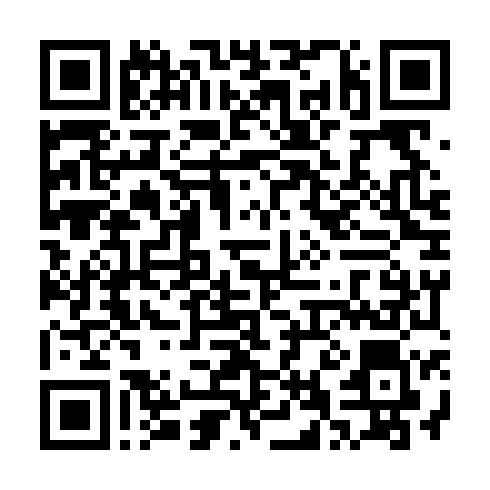
Repository URL:
Signing Key Fingerprint (SHA256):